Record player humming or buzzing: ground wire, cables or interference?

As an Amazon Associate we earn from qualifying purchases. Some links on this page are affiliate links, which means we may earn a small commission if you make a purchase.
A persistent hum starts with the mains frequency - 50 Hz in the UK. That specific tone tells you the interference is entering your audio chain at a specific, locatable point: a ground loop, a poorly routed cable, or the cartridge itself. The character of the noise points directly to which one.
Most online advice either stops at “check your ground wire” without explaining why, or sends you down a rabbit hole of cable upgrades before the cheap stuff has been ruled out. This article walks through the most likely causes in the order that makes sense to check them.
Identifying the source by frequency
Before touching anything, listen carefully. The type of noise reveals where it enters the system.
A constant 50 Hz hum that sits underneath everything, regardless of volume, typically indicates a ground issue. If the hum gets louder as you turn the volume up, that suggests mains noise is entering the phono signal before amplification.
A buzz that changes when you move the RCA cables or run your hand near the deck points toward cable routing or radio-frequency interference. If the hum appears or worsens only when the turntable motor runs, the motor or its power supply is the likely source.
This distinction matters. A ground wire fix takes moments and costs nothing. A cable upgrade costs money and might not be the problem.
Ground wire: the first point of entry
The phono cartridge produces a tiny signal — typically a few millivolts. This signal travels along RCA cables to your phono stage, where it’s amplified thousands of times. A break in the ground path — the reference point that keeps the signal clean — means mains frequency (50 Hz) gets amplified with the music, creating a low hum.
The ground wire connects from the tonearm or chassis to a terminal on your phono preamp or amplifier, stabilising the signal ground. If it’s missing, loose, or disconnected, you get hum.
Many component turntables have a dedicated “GND” terminal. The connection can work loose over time. However, many all-in-one decks handle grounding internally and lack a separate wire. If your deck has no visible ground terminal, this fix doesn’t apply.
For those with a ground wire: check it’s connected. Tug it gently — if it comes off, reconnect it. If the connector is corroded or the wire frayed, a new length of single-core copper wire costs pence. Twist the bare end tightly under the terminal screw, ensuring it’s firm.
Some phono preamps have fiddly ground terminals. The Pro-Ject Phono Box S2 (paid link), for instance, gets praise for sound quality but occasional complaints about the ground lug. The manual notes proper grounding minimises hum. If hum persists after a solid connection, try a slightly thicker wire.
View Pro-Ject Phono Box S2 on Amazon → (paid link)
If the ground wire is connected and tight but hum remains, try disconnecting it temporarily. Some setups develop a ground loop. If the hum disappears when disconnected, you have a loop. The solution isn’t to leave it off — check for an earth lift switch or try a different connection arrangement.
Cable routing and condition
If the ground wire isn’t the answer, cable placement or condition is next.
Phono cables carry a low-level signal, making them sensitive to surroundings. Running RCA cables alongside a power lead or near a transformer can induce hum. Separate phono cables from power cables by a few centimetres, avoiding parallel runs.
Cable condition matters. An RCA cable with a damaged shield, broken connector, or cold solder joint can let interference in. If cables are old, cheap, or bent sharply, consider replacement — but try repositioning first. Owners sometimes spend on expensive cables only to find hum came from an unnoticed power lead.
For long cable runs (over a couple of metres), poor shielding becomes more critical. Most UK living room setups have short distances.
Some phono preamps tolerate cable routing better. The iFi Zen Phono 3 (paid link) has a low noise floor, which can resolve hum where a cheaper preamp struggled. A budget unit may be more prone to hum at that price point. If you own a budget preamp and get hum, check it as a potential source.
See iFi Zen Phono 3 on Amazon → (paid link)
Electrical interference in the room
Interference from the electrical environment is less common but possible. Suspects include a turntable motor’s power supply, dimmer switches, compact fluorescent bulbs, or a Wi-Fi router too close to the deck.
Motor-related hum often varies with platter speed — more noticeable at 33 rpm than 45, or changing when starting or stopping. This is electrical noise bleeding into the signal path. Some decks have better motor shielding.
Try moving the deck to a different surface or position — even a few inches can help if a power socket or equipment is the source. Wi-Fi routers emit RF noise; if on the same shelf, they can induce a high-pitched buzz. Moving either usually resolves it.
Dimmer switches and older fluorescent lighting can be problematic. The modulation from a dimmer produces a rough hum that tracks the dimmer’s setting. If hum changes when you adjust it, you’ve found the cause. Use lights at full brightness when playing records, or replace the dimmer with a standard switch.
Cartridge and internal faults
If ground wire, cables, and interference checks yield nothing, consider a fault inside the tonearm or cartridge.
Loose cartridge wiring — at the headshell or cartridge — can introduce noise resembling hum. This is more likely if the deck was moved, dropped, or had its cartridge changed improperly. The four small pins need clean, tight contact.
A worn stylus is occasionally mistaken for a grounding problem. As a stylus wears, it produces a rough, scratchy sound. The distinction: a worn stylus produces noise that changes with the record’s surface; ground or interference hum is constant. If noise changes with the record rather than volume, check the stylus.
A damaged internal phono stage in an all-in-one deck or amp will cause persistent hum regardless of other fixes. Options include using an external phono preamp fed into a line input, or accepting the limitation if repair cost exceeds the deck’s value.
When spending makes sense
Don’t spend until free checks are done. A missing ground wire costs nothing. Cable repositioning costs nothing. Moving the deck from a Wi-Fi router costs nothing.
Spending is justified when you’ve confirmed the cause and need a replacement part. A damaged ground wire costs pence. Faulty RCA cables warrant replacement — a decent shielded pair suffices; expensive audiophile cables aren’t necessary.
A phono preamp upgrade makes sense only if your current unit is the noise source. The iFi Zen Phono 3 (paid link) has a low self-noise floor, fixing a noisy preamp. This is a specific solution, not a general upgrade.
See iFi Zen Phono 3 on Amazon → (paid link)
You don’t need a new cartridge, tonearm, or cleaning machine for a hum. These address how the stylus sits in the groove, not a 50 Hz mains hum. If sold expensive hardware for a hum problem, ask which free checks were ruled out.
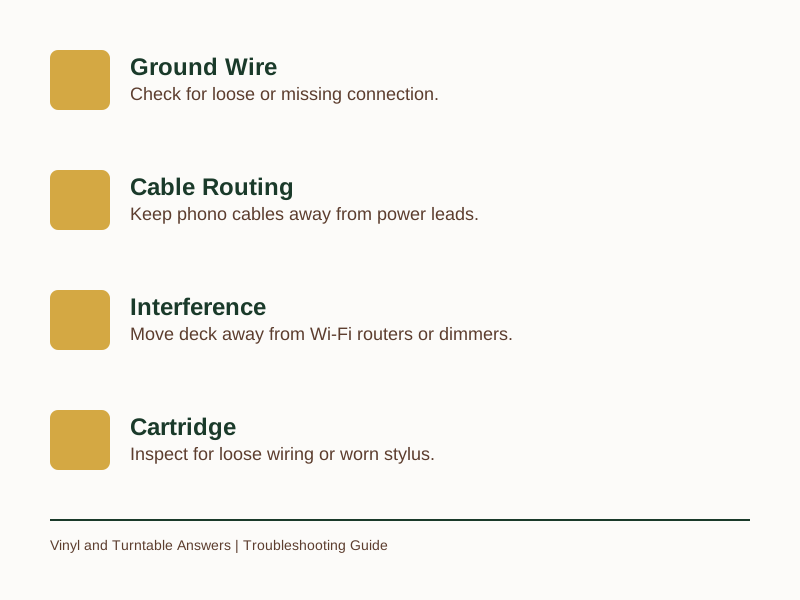
Common Hum Causes & Fixes
| Cause | Description | Fix |
|---|---|---|
| Ground Wire | Mains hum (50Hz) due to loose or missing connection | Reconnect or replace wire |
| Cable Routing | Interference from power cables or transformers | Separate phono cables from power leads |
| Electrical Interference | Motor noise, Wi-Fi, or dimmer switches | Move deck or interfering device |
| Cartridge Fault | Loose wiring or worn stylus | Check connections or replace stylus |
Frequently Asked Questions
Why does my record player only hum on one channel?
A hum louder in one speaker usually points to a cable or connection problem. One RCA cable may have a damaged shield, or one channel’s headshell connection may be loose. Swap left and right cables at the preamp end — if the hum moves to the other speaker, the cable is faulty.
Can a dirty record cause a hum?
No — dirt and static produce crackle and pops that change with the record’s surface. A constant hum regardless of the record is electrical. However, a dirty record can mask other noises, making identification harder.
My all-in-one deck has no ground wire — what should I check instead?
Without a separate ground terminal, grounding is internal. Check cable routing — ensure the built-in cable isn’t alongside a power lead. Then check for interference: Wi-Fi routers, phone chargers, LED bulbs with cheap drivers, or dimmer switches. Moving the deck or the device often works.
The hum goes away when I touch the tonearm — what does that mean?
This indicates a broken or missing ground connection. Your body acts as a temporary ground path. Ensure the deck’s ground wire is properly connected, or check the RCA cable shield’s contact at both ends.
Is a phono preamp the solution to hum?
Only if the preamp is the source. A low-noise external unit can resolve a noisy preamp. But if hum comes from a loose ground wire or cable routing, a new preamp won’t fix it. Rule out free causes first.
Once you apply a remedy, the result tells you the culprit. If the hum vanishes after reseating cables, the issue was routing. If it disappears after re-routing cables away from power sources, the problem was interference. If grounding the wire properly eliminates it, you had a ground loop. Each outcome points to a specific entry point for the noise.
If you’ve worked through all this and hum remains, or you’re uncomfortable checking connections, a local hi-fi repairer is the right call. It’s cheaper than replacing a working deck.
Now you know what to look for — Get the Free Record Care Checklist to keep the rest of your setup in shape.
Related Guides
For a complete overview, see our Why do brand new records skip? The causes, in the order to check them .
Sources & Further Reading
As an Amazon Associate we earn from qualifying purchases. The products linked above are ones we recommend based on independent research and owner feedback.
General guidance only, verify details with a qualified professional or official source.